Get Started
Getting started with AudioScape
Navigate to your dashboard, if you don't already have an account create one by visiting the auth portal
After that click on the button shown in the image below.\
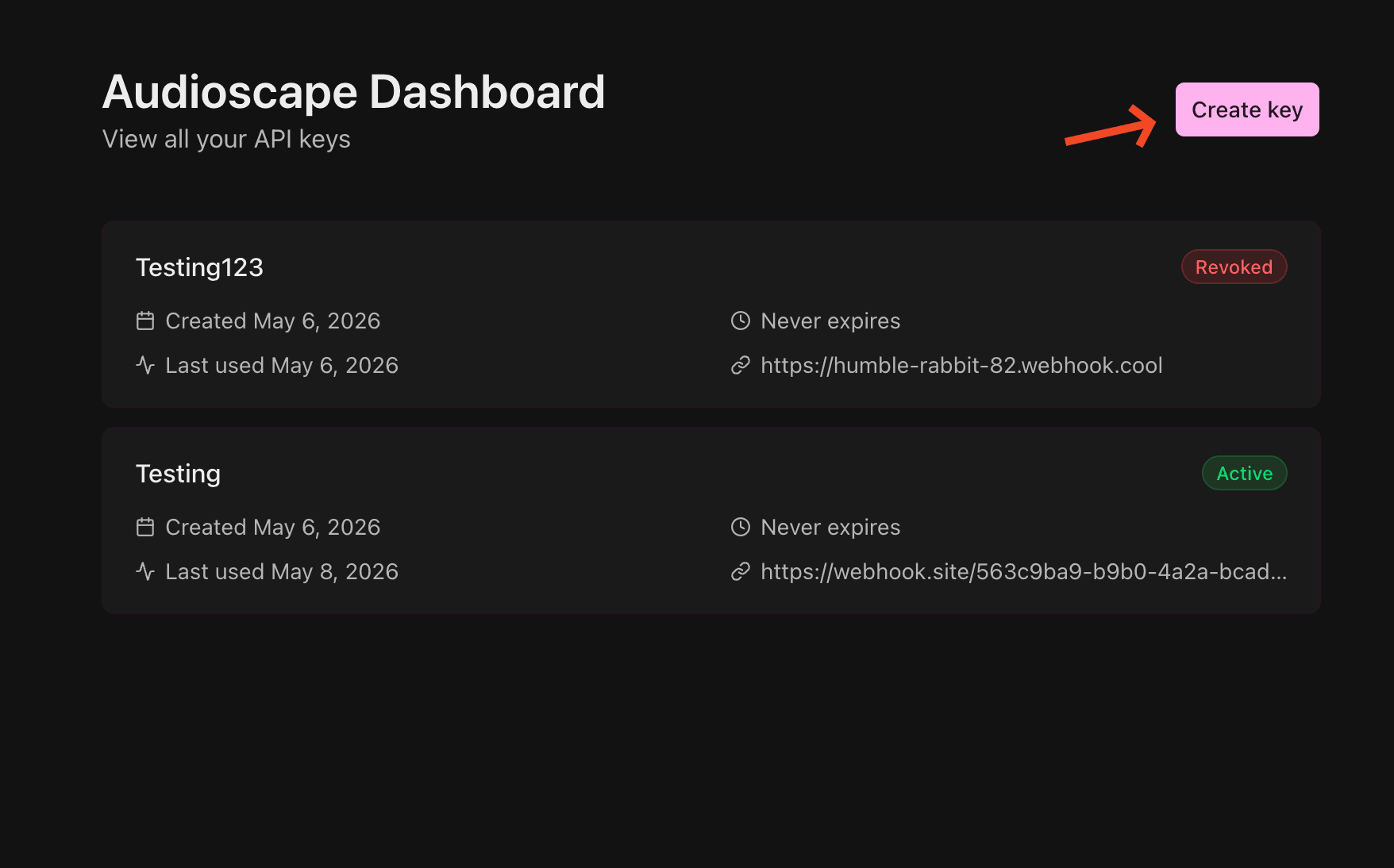
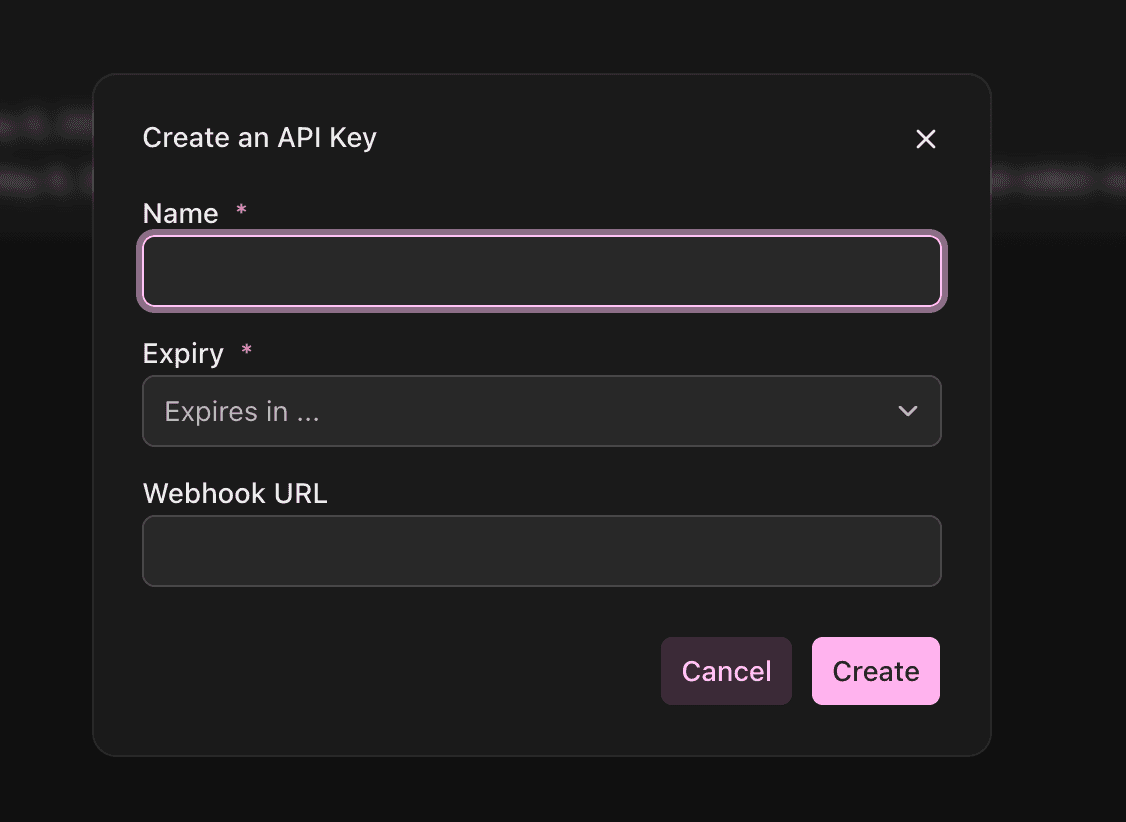
Then fill out the information as shown below.
optionally you can set a Webhook URL to get notified when a track you queued has finished analysis.
Then copy the key and webhook secret shown in the dialog.
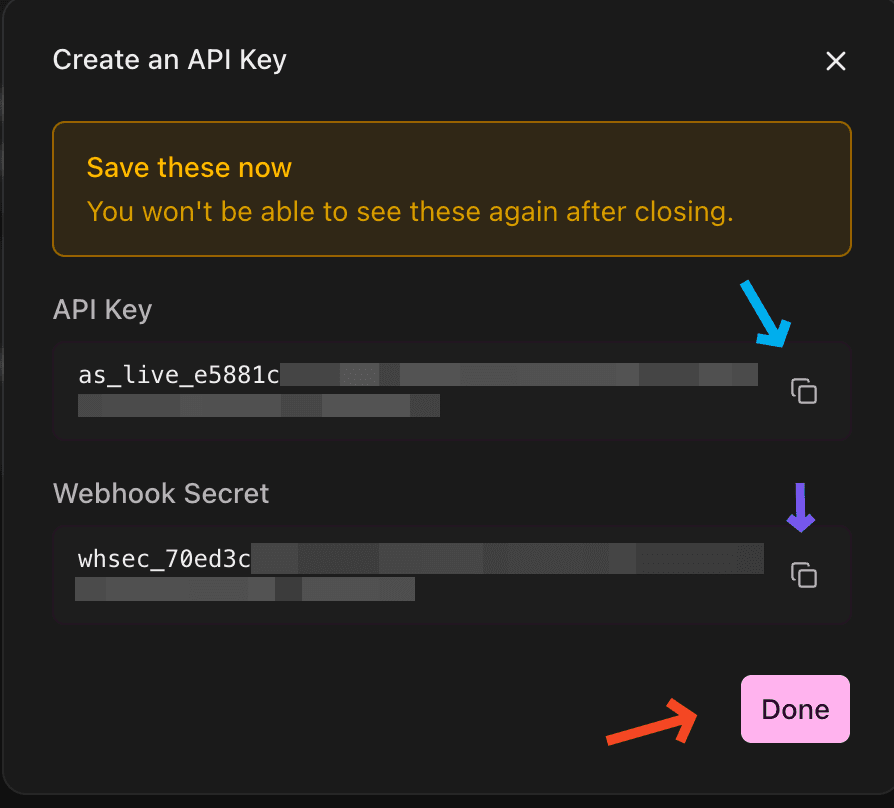
!! THIS INFORMATION WILL NOT BE SHOWN TO YOU EVER AGAIN AFTER CLOSING THIS MODAL, PLEASE ENSURE YOU HAVE COPIED IT !!
Thats all!
Make your first API request! Check out search for more information on how to do that.